Floor Plan Creator stands out as a straightforward and efficient tool for creating detailed floor plans without the steep learning curve of professional software. It’s ideal for budget-conscious users—like homeowners or DIY enthusiasts—who want to sketch out room layouts or experiment with home redesigns. While it won’t replace advanced CAD programs or deliver stunning 3D visuals, it gets the job done with minimal hassle.
What We Like
- Most features are available for free
- Supports multiple floors
- Includes a basic 3D viewing mode
- Extremely user-friendly
What Could Be Better
- Limited advanced editing capabilities
- High-res and DWG exports require a paid plan
- Furniture options are generic and sparse
- No AI-assisted design features
If you’re searching for a simple, web-based app to draft building layouts at no cost, Floor Plan Creator is a solid choice. While it doesn’t offer the polish of top-tier Mac design apps, it’s completely free and refreshingly easy to use.
Here’s a closer look at what it offers.
Getting Started with Floor Plan Creator
You won’t need to install anything—just visit the website and click “Create a Project” to begin designing. An Android app is available for on-the-go edits, though iOS users will need to stick with the browser version.
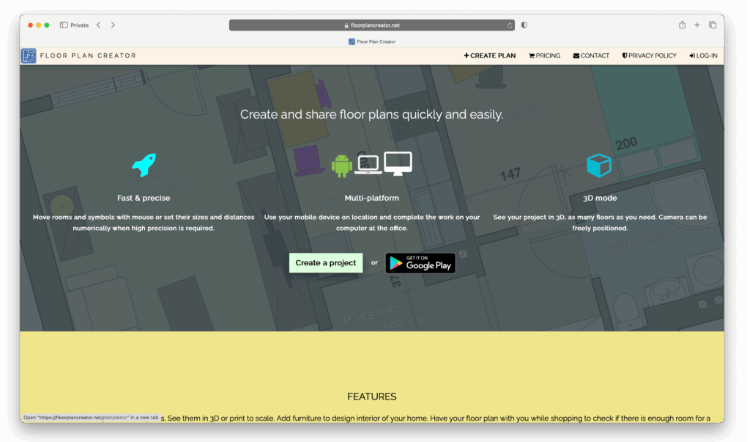
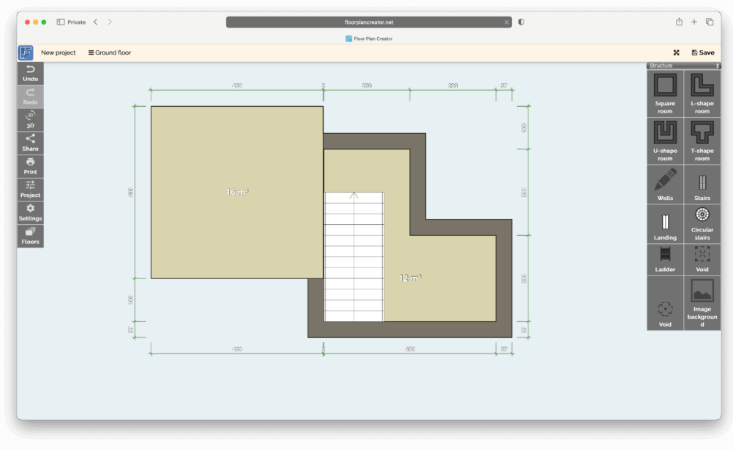
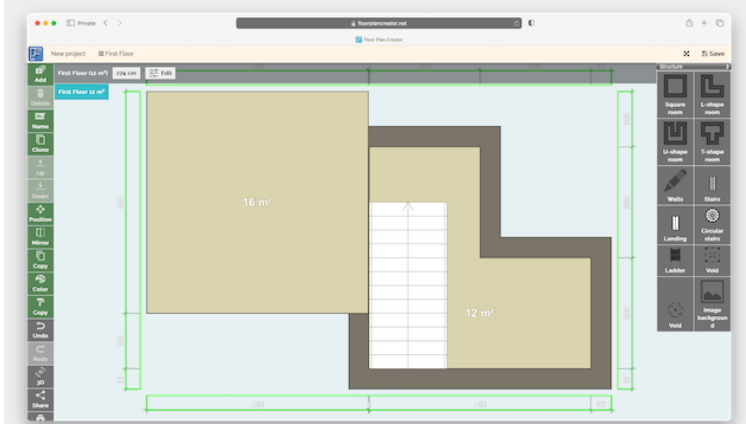
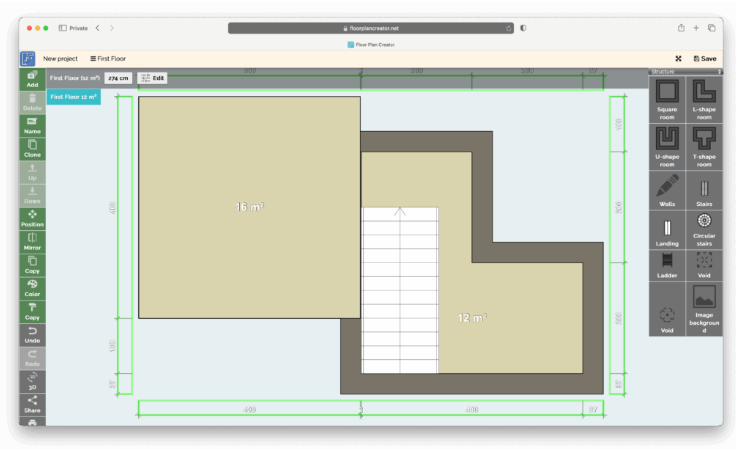
The interface is clean and intuitive: structural tools are located on the right, and navigation controls sit on the left. You design by dragging and dropping walls, rooms, and basic shapes onto the canvas.
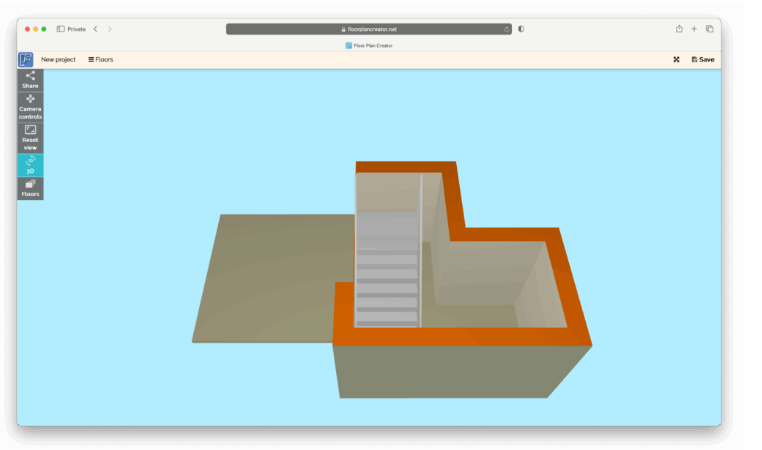
Adding multiple floors is as simple as clicking the “Floors” button. There’s also a 3D view option—click the 3D button to rotate and explore your layout from different angles.
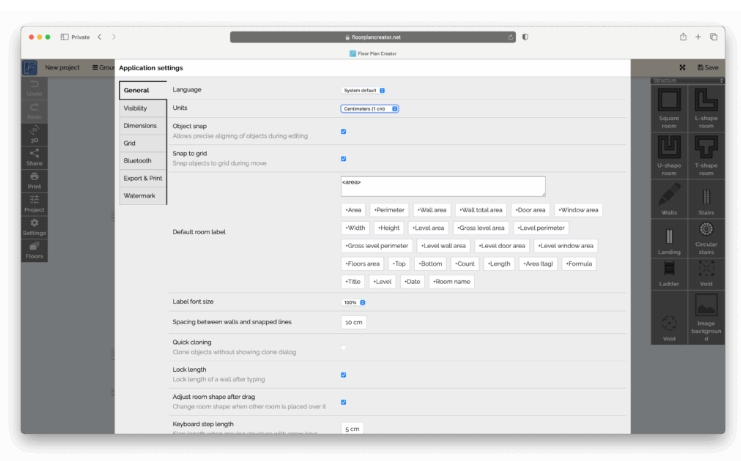
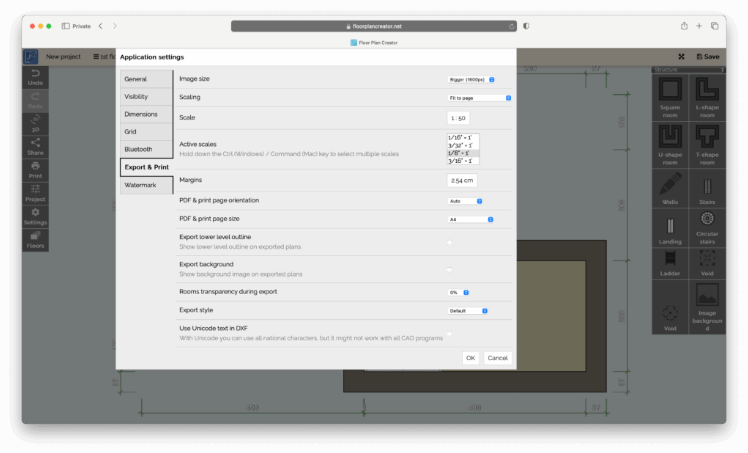
Under Settings > General > Units, you can switch between metric and imperial measurements. Export options include PDF, though higher-resolution images and DXF support are reserved for paid subscribers.
On the Go? Try the Mobile App
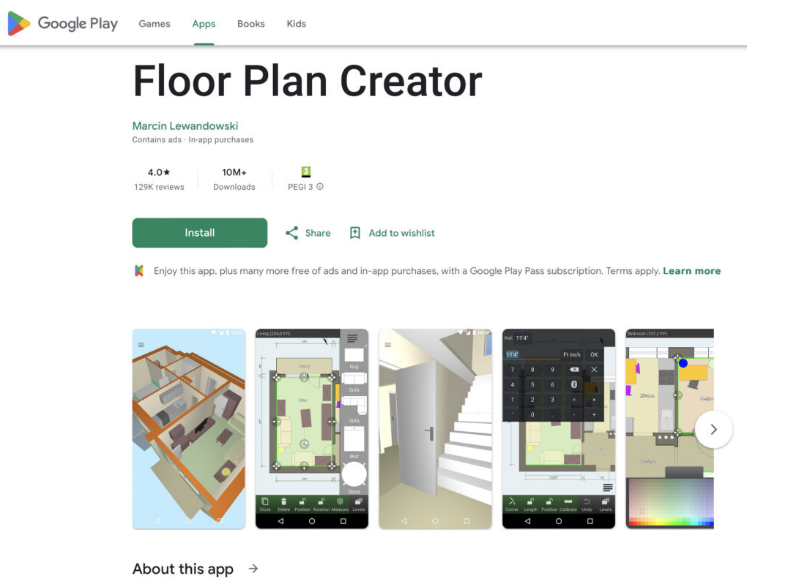
The Android app holds a solid 4/5 rating on the Google Play Store, with many users praising its usability. Common complaints mirror the desktop experience—limited furniture choices, though creative users often build what they need using basic shapes. Unfortunately, iPhone and iPad users don’t have a native app option.
Why Floor Plan Creator Shines
- Accessibility & Pricing: The free plan is quite generous. Paid plans start at just $4.95 per year, unlocking more projects, high-res exports, and DXF support. A Pro tier ($6.95/year) offers unlimited projects and logo insertion.
- User-Friendly: Drawing walls and adjusting room dimensions is smooth and intuitive—perfect for non-professionals.
- Cross-Platform: Start a plan on your Mac or PC and pick it up later on an Android device.
- Export Flexibility: Paid users gain access to high-resolution outputs and DXF files, useful for contractors or importing into CAD tools.
Where It Falls Short
- Limited Library & Scaling Issues: Furniture and fixtures don’t always scale realistically—stretching items can result in awkwardly oversized doors and objects.
- Not for Pros: Missing advanced tools like roof modeling, terrain editing, or BIM support. Interior décor options are sparse.
- Free Export Limits: High-resolution and print-ready exports require a subscription.
- No AI Assistance: Don’t expect smart design suggestions or automation like those found in tools such as Homestyler.
Final Take: Who Is This For?
In short, Floor Plan Creator works best for:
- Homeowners or remodelers who need accurate layouts without mastering complex software.
- Hobbyists and small-scale designers who value web and mobile access.
- Projects focused on spatial planning, sharing with others, or exporting simple DXF files for contractors.
It may not be the best choice for:
- Professional architects needing terrain tools, structural details, or rich object libraries.
- Projects that depend on photorealistic 3D renders or BIM components.
- Users who expect unlimited free exports or extensive built-in furniture catalogs.
Other Options to Consider
Several other floor planning tools work on Mac. Here’s a quick comparison:
| Software | Best For & Strengths | Limitations | Pricing |
| Floor Plan Creator | Quick 2D plans & basic 3D views; ideal for DIYers and homeowners. | Limited library; few advanced architectural tools; free version has export limits. | Free basic use; exports and extras require upgrade. |
| SmartDraw | Strong 2D diagramming with templates and symbols; fast layout tools. | Lacks full 3D modeling; not built for complex architectural work. | Starts at $7.95/month (annual billing). |
| SketchUp Free | Powerful 3D modeling; great for creative and open-ended design. | Steeper learning curve; free version has export and extension limits. | Free version; paid plans from $10.75/month. |
| Planner 5D | Home visualization in 2D/3D; large furniture library; drag-and-drop ease. | Not suited for CAD/BIM or technical design. | Free tier; Premium from $4.99/month (annual) or $19.99/month. |
About the Author