As a Mac user, you’ve likely discovered that Microsoft Project isn’t natively available for your machine. Finding a powerful project management tool that works seamlessly on macOS can be a challenge, but you have plenty of excellent options.
We’ve put dozens of these tools to the test. In this guide, we break down the best Microsoft Project alternatives for Mac, detailing their strengths, pricing, and who they’re best for. Many offer free trials or even permanent free plans for individuals and small teams.
Below, you’ll find a quick comparison table, followed by our in-depth reviews.
Quick Comparison Table
| Tool | Free Plan | Starting Price (Paid) | Best For |
| Merlin Project | ❌ (Trial) | $19.99/month | Professional hybrid project planning for Mac power users |
| Monday.com | ✅ (2 users) | $9/user/month | Visual project tracking and intuitive workflows |
| Smartsheet | ✅ (Limited) | $9/user/month | Spreadsheet-style project management |
| Project Plan 365 | ✅ (Viewer) | $8.99/month | Seamless MS Project file compatibility on Mac |
| GanttPRO | ❌ (Trial) | $9.99/user/month | Gantt-centric planning and resource allocation |
| OmniPlan | ❌ (Trial) | $199.99 one-time | Mac-native scheduling and resource management |
| Wrike | ✅ (Basic) | $9.80/user/month | Scalable team collaboration for enterprises |
| ClickUp | ✅ (Unlimited) | $7/user/month | All-in-one productivity for teams of any size |
| Office Timeline | ✅ (Limited) | $149/year | Creating presentation-ready Gantt charts in PowerPoint |
| ProjectManager | ✅ (Trial) | $16/user/month | Managing complex project workflows with dashboards |
| Pagico | ❌ (No) | $50 one-time | Personal task and knowledge management |
| Microsoft Project Online | ❌ (Paid only) | $10/user/month | Enterprise scheduling within the Office 365 ecosystem |
| Teamwork | ✅ (Up to 5 users) | $5.99/user/month | Client-focused projects with billing and time tracking |
Detailed Reviews
1. Merlin Project: Best Overall for Mac Power Users
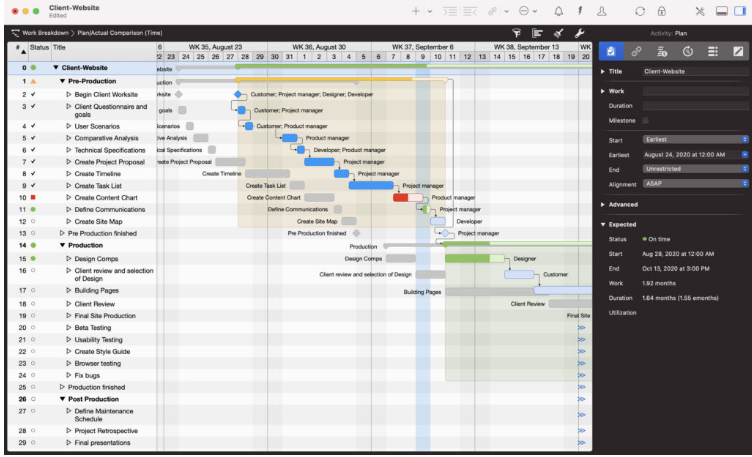
Merlin Project stands out as a top-tier desktop project management solution built for macOS. It combines traditional and agile methodologies, letting you switch between Gantt charts and Kanban boards within a sleek, native interface.
Its Gantt view is excellent for visualizing dependencies across multiple projects, while its Kanban boards offer a flexible, Trello-like workflow. A key feature is its AI assistant, which can draft a project plan based on a simple description of your goals. It also supports importing and exporting MS Project files (though some manual cleanup may be needed). For users on a budget, the lighter Merlin Project Express is a great cost-effective option.
- Pricing: Free Trial / $19.99 per user/month (subscription) or $199.99 per user/year.
- Pros: Beautiful Mac-native interface, hybrid planning approach, AI plan creation, iOS apps, MS Project file support.
- Cons: High upfront cost, limited team collaboration features, no permanent free plan.
2. Monday.com: Most User-Friendly
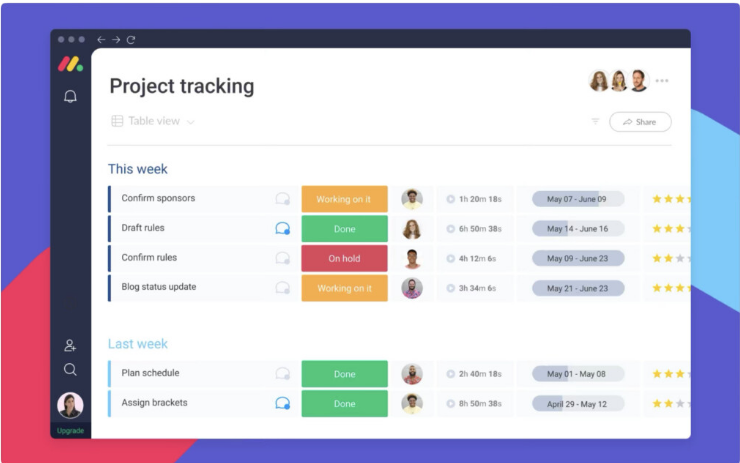
Monday.com wins hearts with its visually engaging and intuitive interface. It works brilliantly in a browser and has a dedicated Mac desktop app. It excels at making task sequences and dependencies crystal clear.
You can view your projects as spreadsheets, lists, maps, Kanban boards, and Gantt charts. While it can’t natively import MS Project files, it boasts extensive integrations with tools like Slack, Zoom, Jira, and Google Drive, making it a versatile hub for teams of any size.
- Pricing: Free Plan for 2 users / Paid plans start at $9/user/month.
- Pros: Extremely easy to use, excellent visual timeline views, great Mac app, tons of integrations.
- Cons: No native support for importing MS Project files.
3. Smartsheet: Best for Spreadsheet Lovers
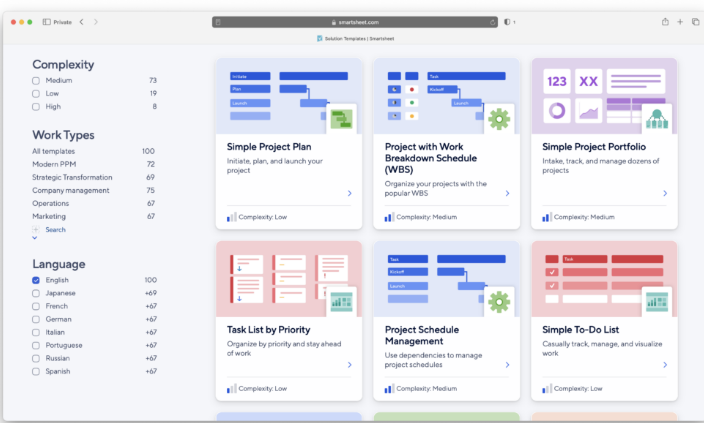
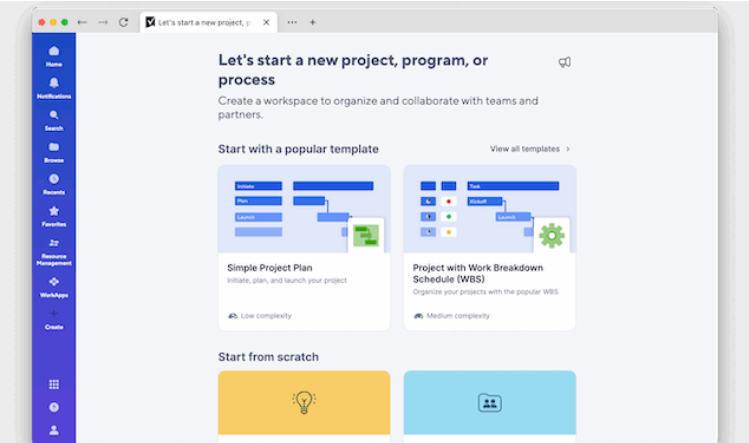
If you’re comfortable managing projects in Excel but crave a more powerful and collaborative experience, Smartsheet is your answer. It centers on a familiar spreadsheet interface but supercharges it with robust Gantt chart features, automation, and easy sharing.
It offers hundreds of templates to get you started quickly. A major advantage for those transitioning from Project is its ability to import and export Microsoft Project files (.MPP). You can easily manage timelines by dragging tasks to adjust dates and set milestones.
- Pricing: Free for one user and 2 editors / Paid plans start at $9/user/month.
- Pros: Powerful spreadsheet-based core, excellent Gantt charts, imports/exports MS Project files, great Mac desktop app.
- Cons: Advanced features like time tracking require add-ons.
4. Project Plan 365: Best for MS Project Compatibility
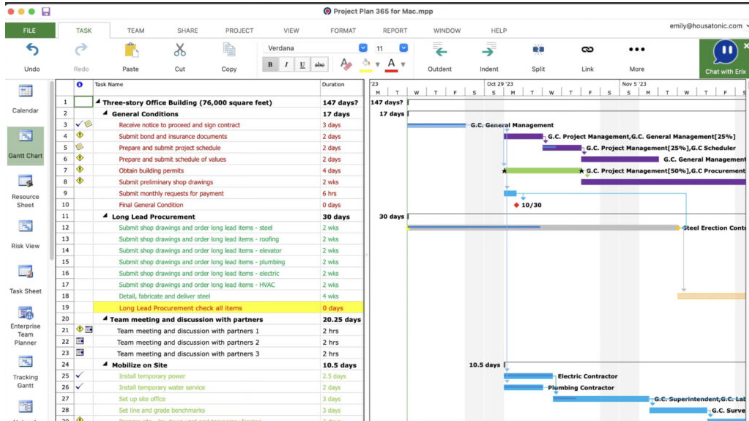
Project Plan 365 is the closest you can get to the look and feel of Microsoft Project on a Mac. It handles .MPP files better than almost any other alternative, making it ideal for those who frequently collaborate with Windows-based Project users.
It offers both a desktop and cloud version, allowing for flexible online/offline work. If your team is already familiar with MS Project’s (somewhat dated) interface, this app will feel like home without the high cost.
- Pricing: Free Trial / Plans start at $8.99/month.
- Pros: Near-perfect MS Project compatibility, familiar interface for Project veterans, connects to Microsoft Project Server, good value.
- Cons: Interface feels dated, lacks modern AI and automation features.
5. GanttPRO: Best for Gantt Chart Clarity
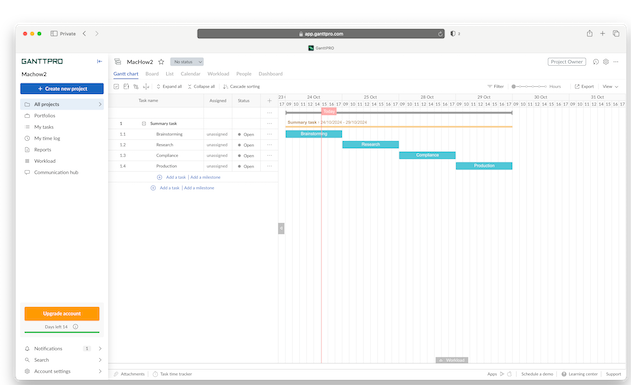
As the name implies, GanttPRO is built for those who live and breathe Gantt charts. It provides a user-friendly yet powerful platform for planning timelines, assigning resources, setting dependencies, and tracking budgets.
It’s designed for complex, multi-team projects and includes strong collaboration tools. Crucially, it supports importing Microsoft Project files in their native .MPP format, making it a straightforward replacement for Mac users.
- Pricing: Free Trial / Plans start at $9.99/user/month.
- Pros: Excellent and intuitive Gantt chart interface, robust resource management, imports MS Project files.
- Cons: Limited third-party integrations, no dedicated desktop app for offline work.
6. OmniPlan: Best Native Mac App
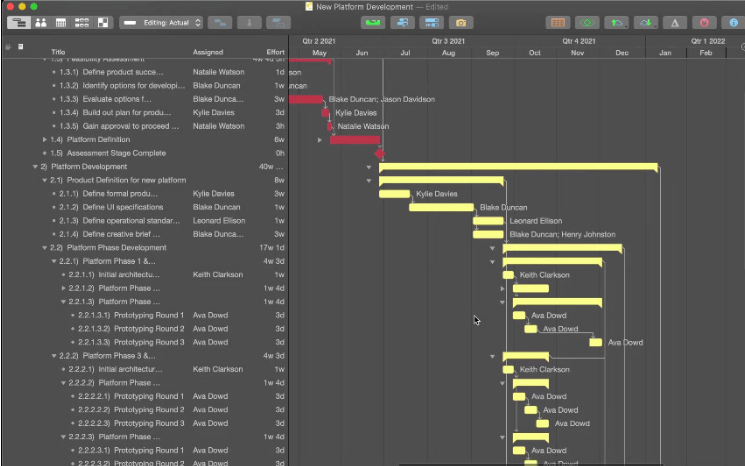
From the makers of the acclaimed OmniGraffle, OmniPlan is a purpose-built project management tool for the Apple ecosystem. It feels completely at home on macOS, with a clean, automatic Gantt chart layout that adjusts as you drag resources.
It’s easier to use than MS Project and supports importing files from older versions (up to 2016). For users who prefer a one-time purchase over a subscription, OmniPlan offers a perpetual license for its Standard version.
- Pricing: $199.99 one-time (Standard) or $19.99/month (Subscriber).
- Pros: Designed exclusively for Mac, beautiful native interface, one-time purchase available.
- Cons: Expensive upfront cost, limited collaboration features.
7. Wrike: Best for Enterprises
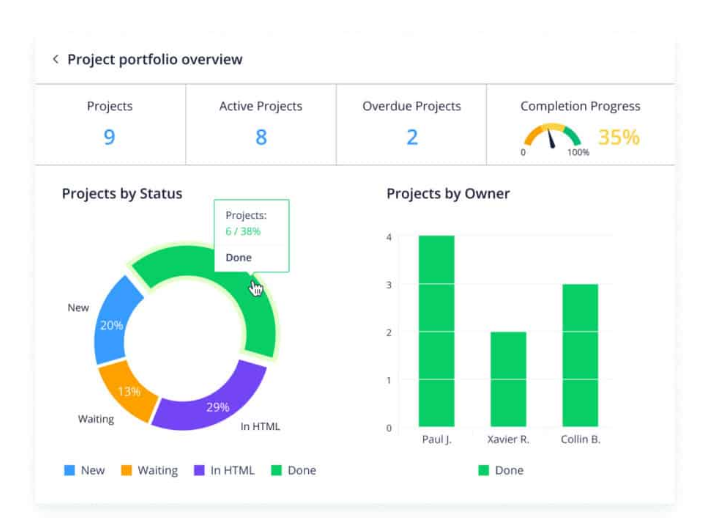
Wrike is a highly scalable, cloud-based solution trusted by thousands of large organizations. It blends the visual appeal of Trello with the power of Jira, all within a flexible platform suitable for everything from creative projects to corporate marketing campaigns.
Its Gantt charts provide clear timeline insights, and its integration list is impressive, including deep connections with Microsoft Office 365, Google Drive, and Dropbox. Professional and Business plans can import MS Project files.
- Pricing: Free Trial / Paid plans start at $9.80/user/month.
- Pros: Highly scalable, integrates with 30+ major apps, familiar feel for Trello/Jira users.
- Cons: Lacks built-in time tracking and invoicing tools.
8. ClickUp: Best for All-in-One Productivity
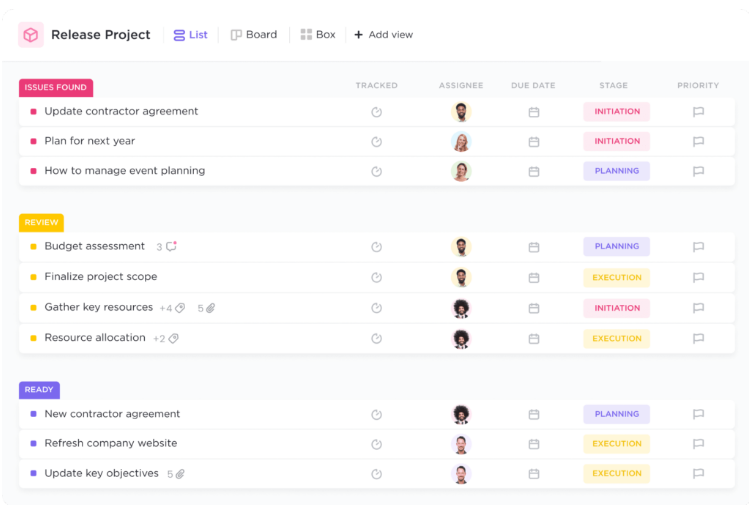
ClickUp is more than a project manager; it’s a productivity platform that combines tasks, docs, goals, and even CRM. It’s used by giants like Samsung and IBM for its flexibility and wide array of viewing options, including List, Gantt, Board, and Calendar views.
It features a generous free plan and a sleek interface. However, it does not support importing Microsoft Project files, which may be a dealbreaker for some.
- Pricing: Free Forever Plan / Paid plans start at $7/user/month.
- Pros: All-in-one productivity suite, highly customizable, generous free plan.
- Cons: No support for importing MS Project files.
9. Office Timeline: Best for Presentations
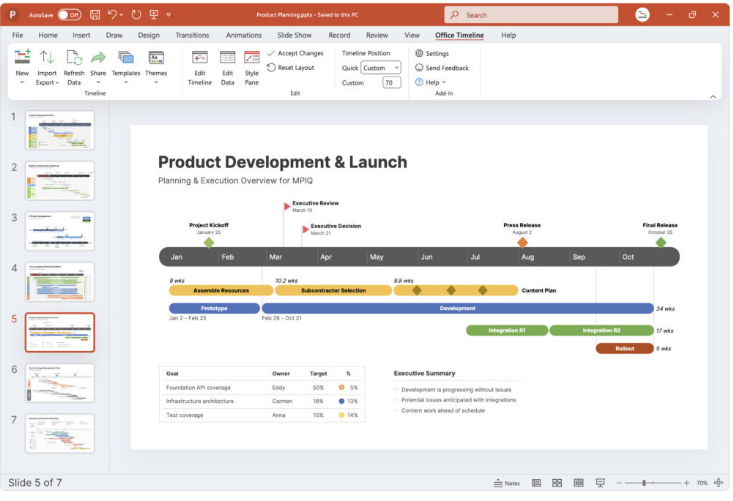
For professionals who need to turn complex project data into polished, executive-ready presentations, Office Timeline is a lifesaver. While its full PowerPoint add-in is Windows-only, the online version works perfectly in any Mac browser.
You can import data from MS Project, Excel, or Smartsheet and use a simple drag-and-drop interface to build sleek Gantt charts and swimlane diagrams. The final timelines can be exported as editable PowerPoint slides.
- Pricing: Free version available / Paid plans start at $149/year.
- Pros: Creates presentation-ready visuals, imports from multiple sources, browser-based.
- Cons: Full desktop add-in is Windows-only.
10. ProjectManager: Best for Visual Dashboards
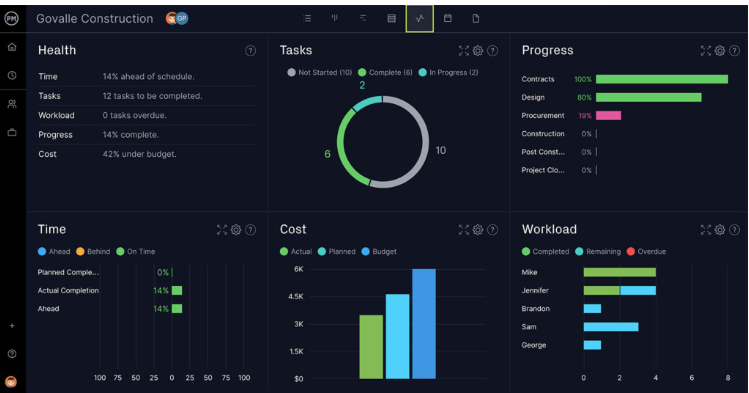
ProjectManager is a cloud-based tool that excels in visual project tracking with its real-time dashboards, Gantt charts, and Kanban boards. The customizable dashboard gives you an instant overview of project health, tasks, and budgets.
It supports automation for common workflows and integrates with over 1,000 apps, including Office 365 and Slack. It also allows you to import Microsoft Project .MPP files.
- Pricing: Free Trial / Paid plans start at $16/user/month.
- Pros: Real-time dashboards, intuitive Gantt and Kanban views, imports MS Project files.
- Cons: Lower-tier team plan is limited to 20 projects.
11. Pagico: Best for Organizing Notes & Tasks
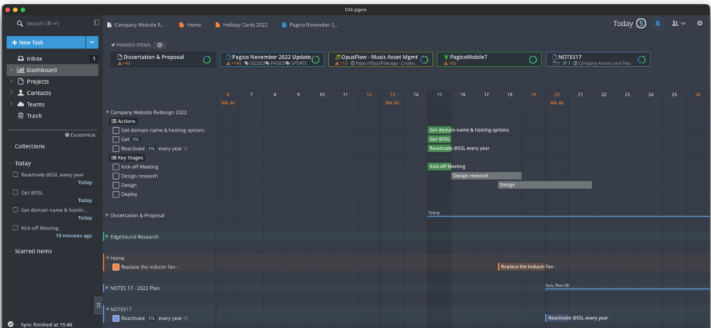
Pagico is a unique Mac-native app that focuses on bringing your tasks, notes, documents, and projects into a single, interconnected workspace. It’s perfect for knowledge workers who need to attach relevant files, emails, and web clippings directly to their tasks.
It works fully offline but offers a free “Personal Cloud” to sync across Mac, iOS, and Android devices. It is not designed for MS Project compatibility.
- Pricing: Free Trial / $65.00 one-time license (Personal).
- Pros: Integrates tasks, notes, and files, useful tagging system, works offline.
- Cons: No Microsoft Project import support.
12. Project Online: Best for Microsoft 365 Die-Hards
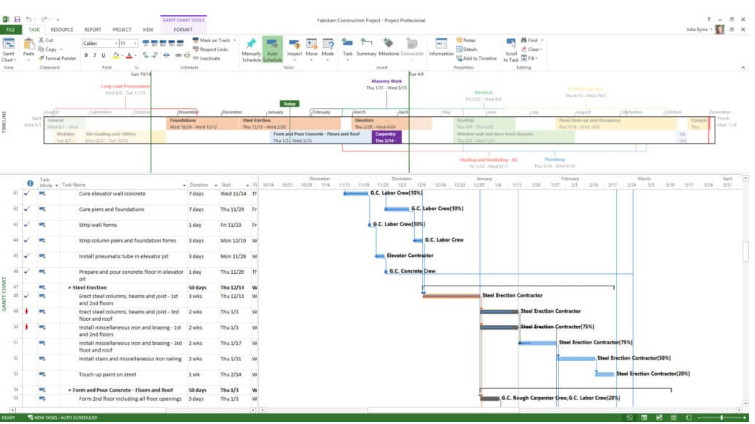
Project Online (now often called Microsoft Project for the web) is Microsoft’s cloud-based offering. It’s important to know this is a separate, lighter service than the desktop version of Microsoft Project.
If your organization is already invested in the Microsoft 365 ecosystem, it provides basic project tracking, Gantt charts, and resource balancing directly in your browser. However, its interface feels dated compared to modern alternatives, and full-featured plans are expensive.
- Pricing: Starts at $10/user/month (Plan 1).
- Pros: Native Microsoft product, integrates with Teams/SharePoint, good for existing 365 users.
- Cons: Less functionality than desktop Project, can be costly for full features.
13. Teamwork: Best for Client Work & Agencies
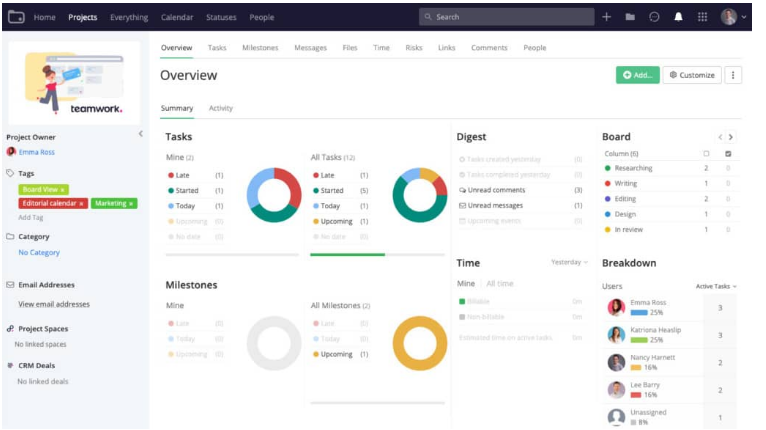
Teamwork is a veteran in the project management space, particularly popular with marketing agencies and client-service teams. It combines a clean, modern interface with robust features like time tracking, billing, and team chat.
It offers an excellent Mac desktop app and a generous free plan for up to five users, making it a great value for small teams and freelancers.
- Pricing: Free plan for up to 5 users / Paid plans start at $5.99/user/month.
- Pros: Great for client work, includes time tracking, clean interface, excellent Mac app.
- Cons: Its MS Project add-on is not compatible with Mac.
Frequently Asked Questions
Is there any 100% free project management software for Mac?
Yes, several tools on our list offer robust free plans. Monday.com (for 2 users), ClickUp (unlimited users), and Teamwork (for up to 5 users) are excellent places to start. Most others offer full-featured free trials.
Does Apple have its own project management software?
No, Apple has never developed dedicated project management software for macOS or iOS. While you can create very basic Gantt charts in Apple Numbers, it’s not suitable for serious project management.
Can you run Microsoft Project on a Mac?
Yes, but only by using a Windows virtual machine like Parallels Desktop. This requires purchasing both Parallels (~$80) and a Windows license, making it a more expensive and less efficient solution than using a native Mac alternative.
What’s the best way to migrate from MS Project?
Most quality alternatives support importing Microsoft Project data. The most common method is to export your Project file as an XML file from MS Project and then import that XML file directly into your new tool. Always check the import capabilities of your chosen software first.
About the Author